The class timetable that knows when you need to leave

UniDay shows your group's lectures, tests and public transport to the lecture room. No sign-up, works offline.

  • Lectures, rooms and tests
  • Public transport times that match your lecture schedule
  • Swipe left or right to move between days

The app is in Latvian for now, the English version is coming soon.

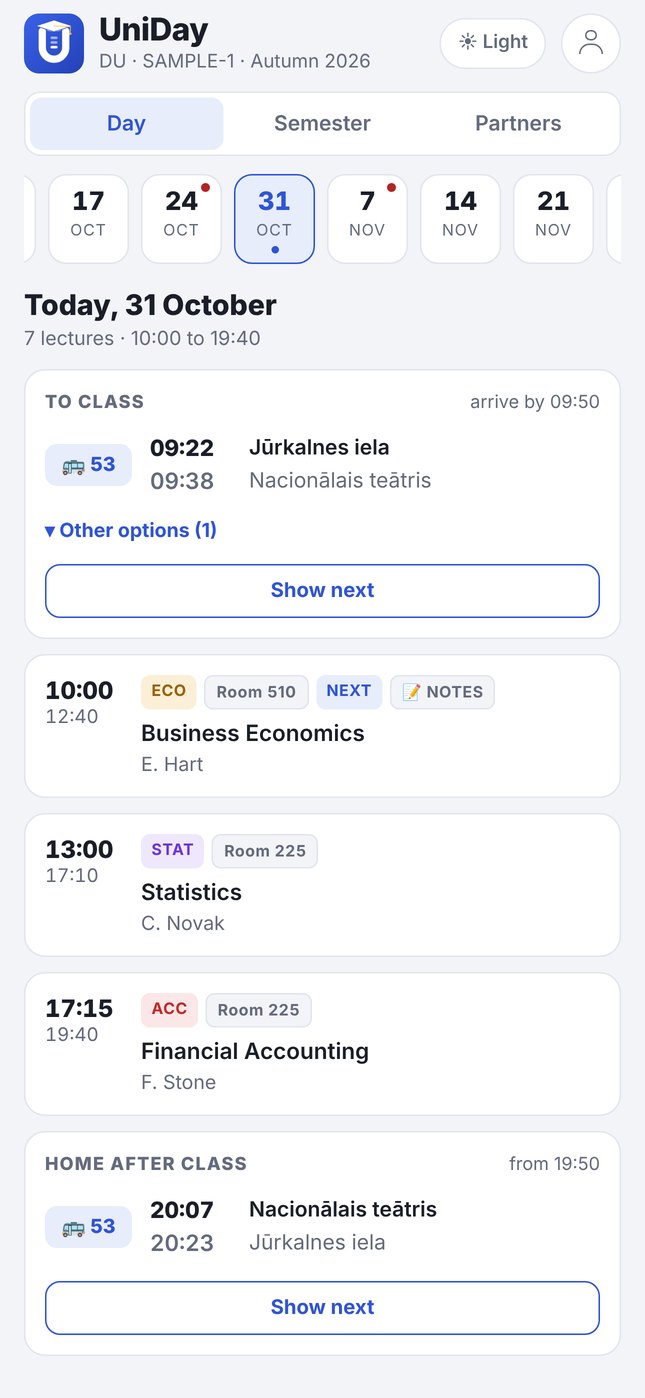
UniDay day view: transport to class, three lectures and transport home
My route

Know when to leave

Set your bus, trolleybus, tram or train with a start and end stop. UniDay shows which departure gets you to the first lecture on time and which one takes you home.

  • Rīgas satiksme and Vivi train timetables
  • Transfers and several route options
  • "Show next departures" on any day, even without lectures
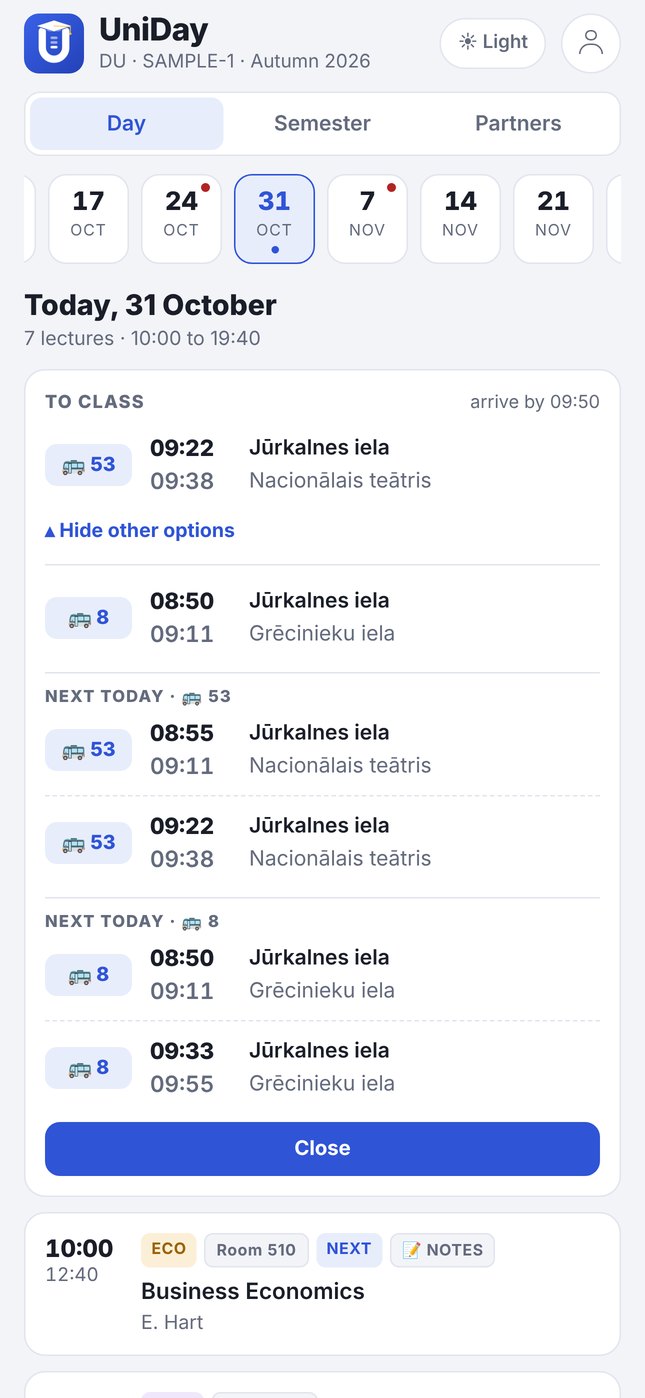
Transport card with two route options and next departures
Lecture

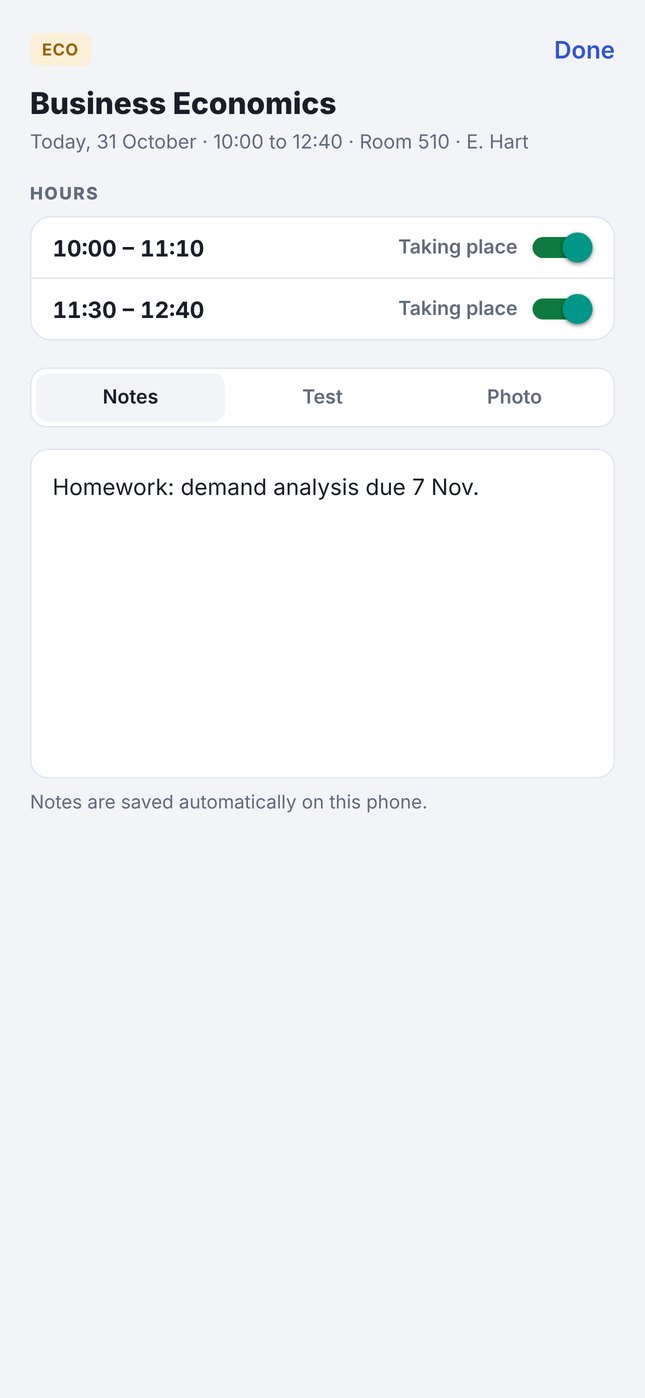
Notes and cancelled lectures

Tap a lecture to write down what matters, mark a test or an hour that is cancelled. Share it with your group in one tap.

  • Mark each hour in a block separately
  • Transport times adjust to the cancelled hours
  • Share via WhatsApp or any other app
Lecture sheet with hours and notes
Semester

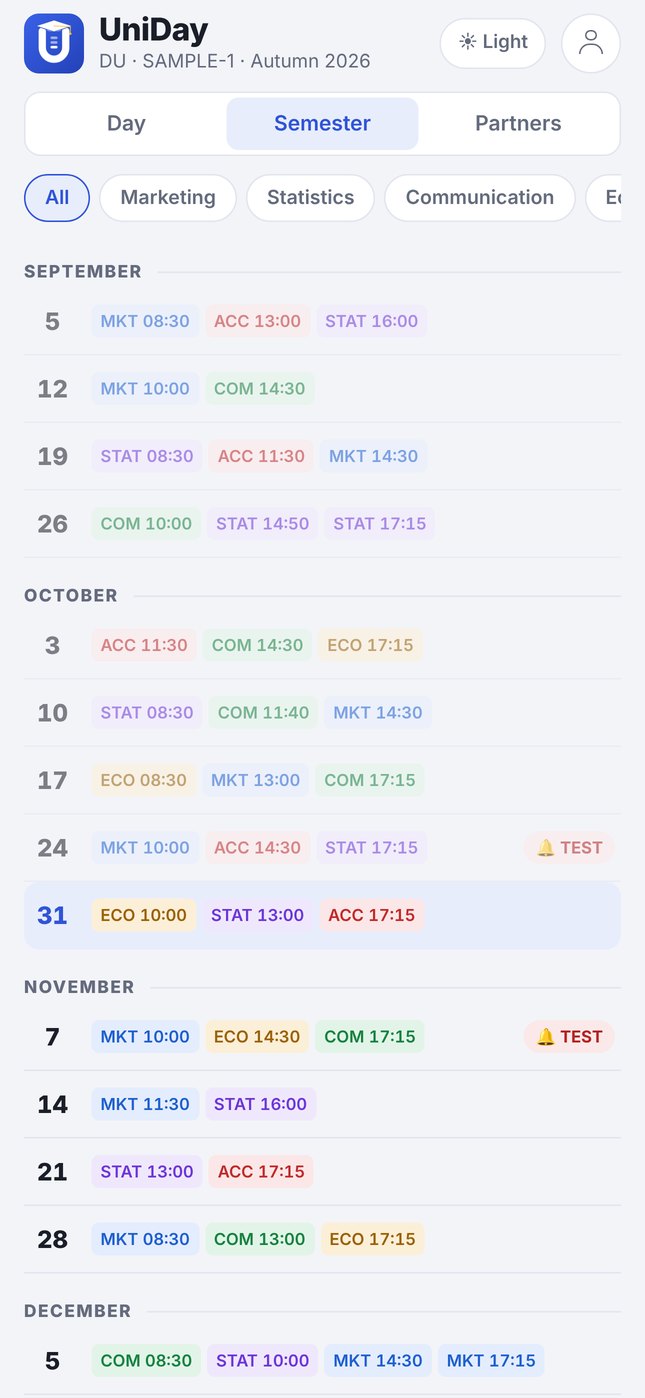
The whole semester by month

An overview of all lecture days with filters by course. Tests are marked, so nothing slips by.

Semester view by month
Partners

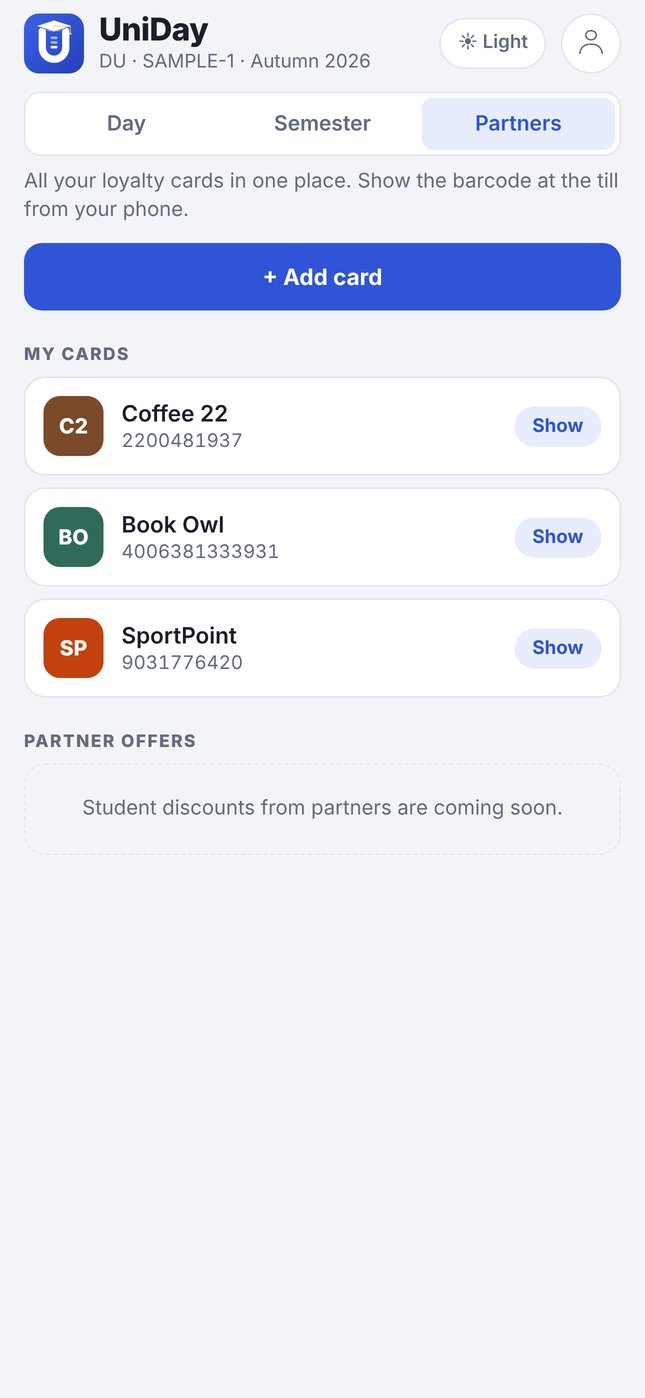
All loyalty cards in one place

Scan a card's barcode with the camera and show it at the till from your phone. Student discounts from partners are coming soon.

List of loyalty cards
Get started

Your group's timetable in UniDay in three steps

  1. Download the template

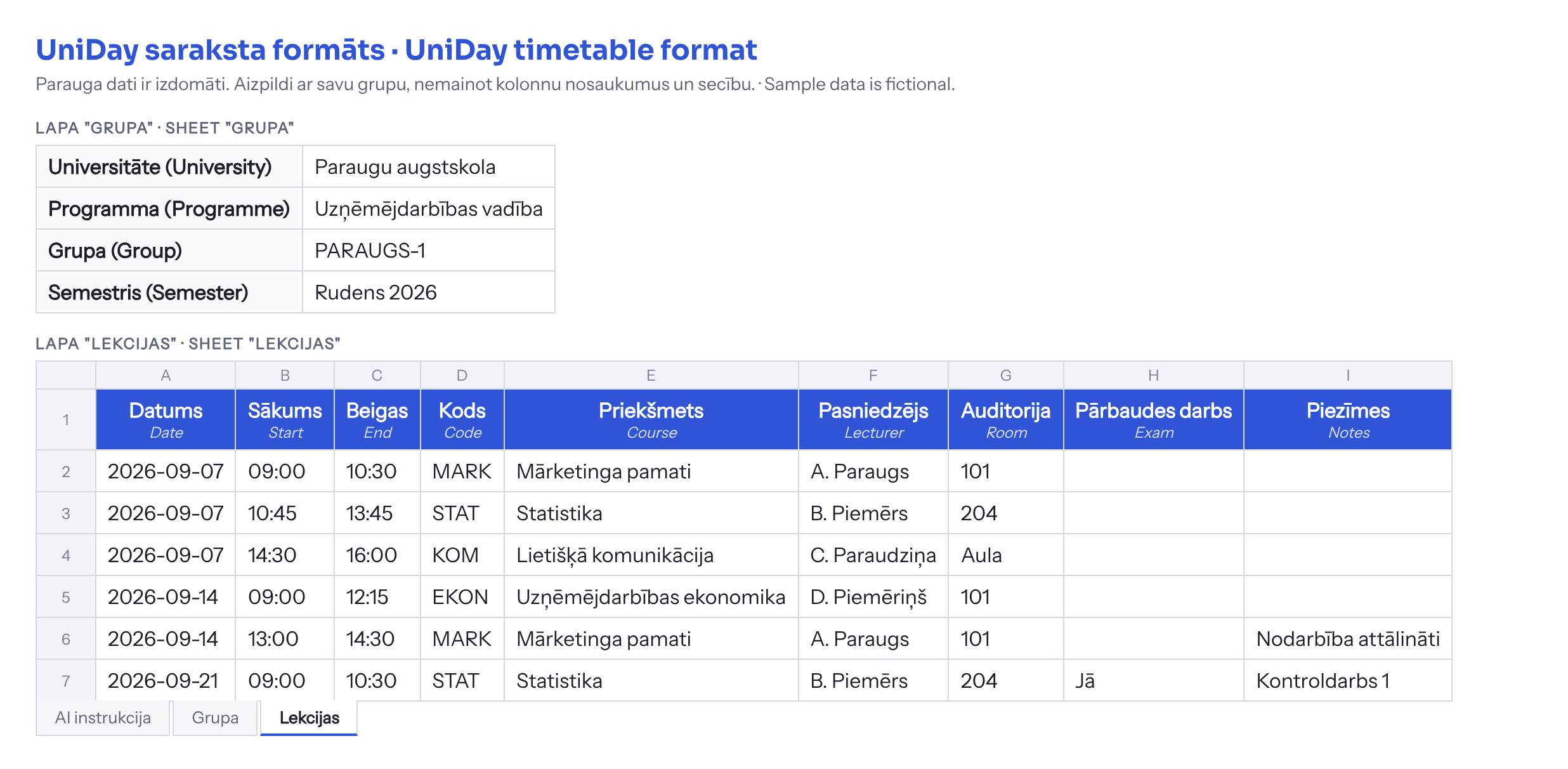
    A standard Excel file with "Grupa" and "Lekcijas" sheets and a ready-made instruction for an AI assistant.

  2. Give it to an AI assistant

    Attach the template, or just the format image, together with your timetable (Excel, PDF or screenshot) to ChatGPT, Claude or Gemini and ask it to fill it in.

  3. Import into UniDay

    Open the filled-in file in UniDay. One completed file is enough for the whole group.

UniDay timetable format: sheet Grupa with university, programme, group and semester; sheet Lekcijas with columns Date, Start, End, Code, Course, Lecturer, Room, Exam, Notes
Format image with fictional sample data. If Excel is not convenient, give an AI assistant this image and your timetable and ask it to create the same table.
Download template (.xlsx) Download format image (.png) In-app import is coming in the next version. Until then, send the filled-in template to info@uniday.eu and we will add your group.
FAQ

Frequently asked questions

Is UniDay free?

Yes. The timetable, tests, transport and loyalty cards are free. A Pro version with whiteboard photos and AI summaries will follow at 5 EUR per month, with a 14-day free trial.

Do I need an account?

No. In the current version all your data, notes and settings are stored only on your phone.

Are transport times real-time?

No. UniDay uses the official planned timetables of Rīgas satiksme and Vivi from the Latvian open data portal. They work offline but do not show delays.

Which universities does UniDay support?

Any. The first group is from the University of Latvia, and the standard template lets you add a group from any university.

Is UniDay an official university app?

No. UniDay is an independent student project and is not affiliated with the University of Latvia or any other university. Always check official information in your university's system.